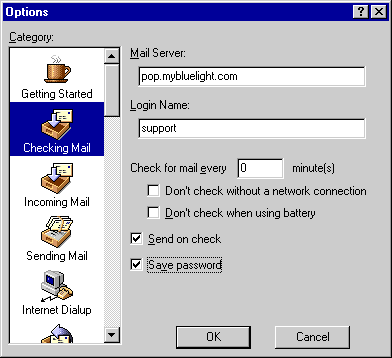
Saving your Password - Eudora 4.3
If you would like Eudora to check your email without requesting your password each time, follow this procedure:




 Billing History &
 My Password Update My Payment Info Update My Address Billing Questions Access Numbers Connection Issues Email Questions Get Bluelight Software Safety/Security Contact Us