Netscape Communicator 4.x Clear the Disk Cache Netscape's disk cache is a collection of temporary Internet files intended to minimize redundant downloads. The disk cache can be comprised of hundreds of documents taking up valuable hard disk space. Clear the cache periodically to remove old files, eliminate any errors and improve performance. How to clear the cache: - Open Netscape.
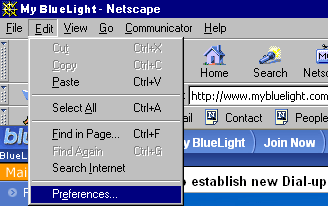 - From the Edit menu, select Preferences.
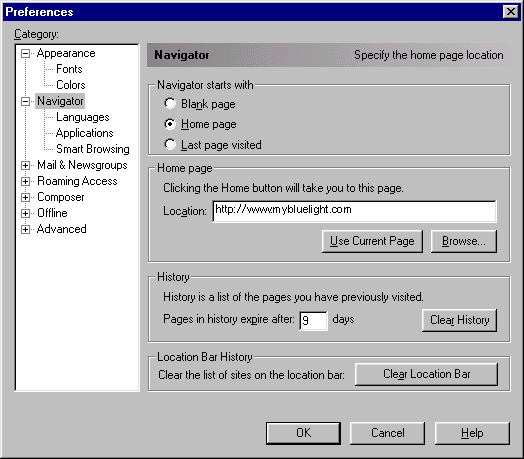 - Under Category, click the + next to Advanced and select Cache.
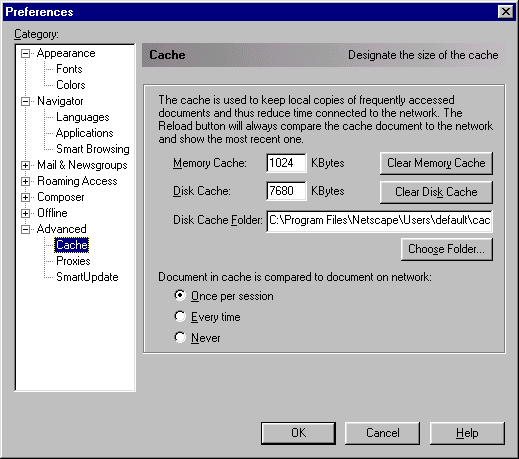 - Click on the Clear Disk Cache button.
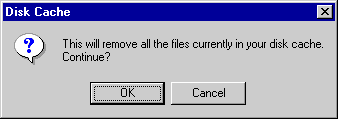 - Click OK to remove all files currently in your disk cache.
- Click OK to exit.
| |




 Billing History &



